
Uninstalling the App

Rupali
Last Update 21 days ago
If you no longer need an app, you can remove it from your Shopify store at any time by following these steps:
Steps
Steps
- Log in to your Shopify admin.
- Go to Apps.
- Click on the app you want to remove.
- In the top-right corner, click Uninstall app
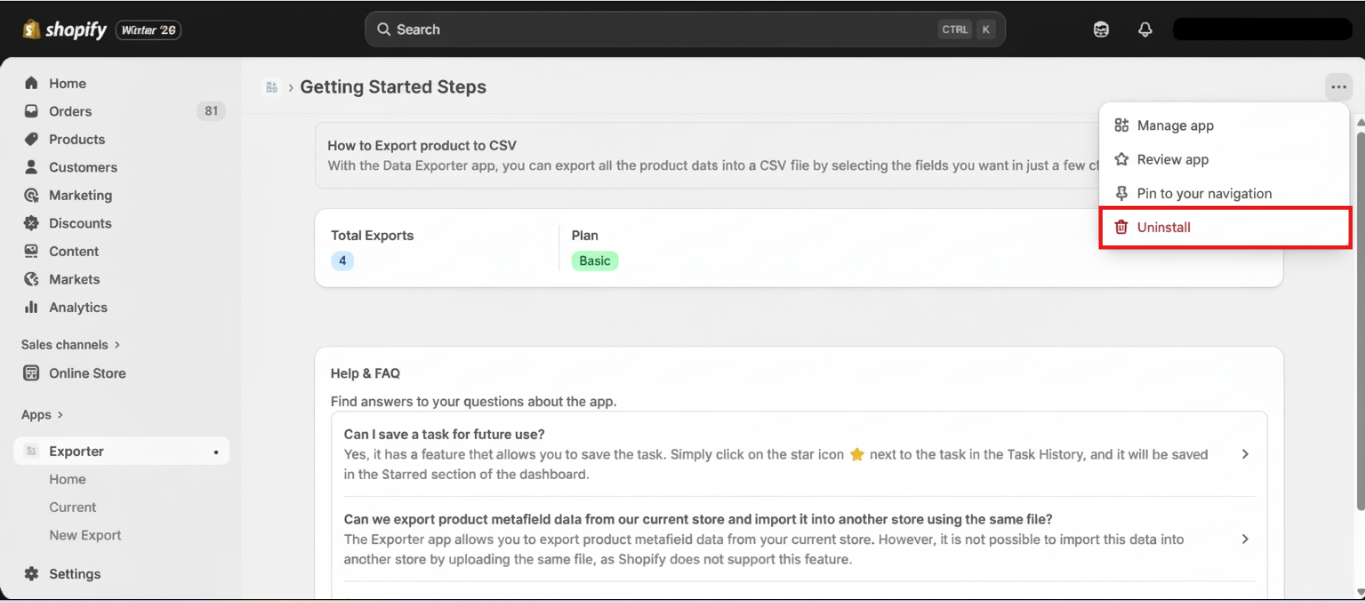
5. Confirm the action when prompted.
That’s it — the app is now uninstalled from your store
For detailed instructions, check out Shopify's guide on uninstalling apps.
Note: Once the app is uninstalled, the subscription is automatically terminated.