
Product Export to CSV

Rupali
Last Update hace 21 días
With the Data Exporter app, you can export all the product data into a CSV file by selecting the fields you want in just a few clicks. For this, you simply need to create the task.
Steps to Export Data in Bulk
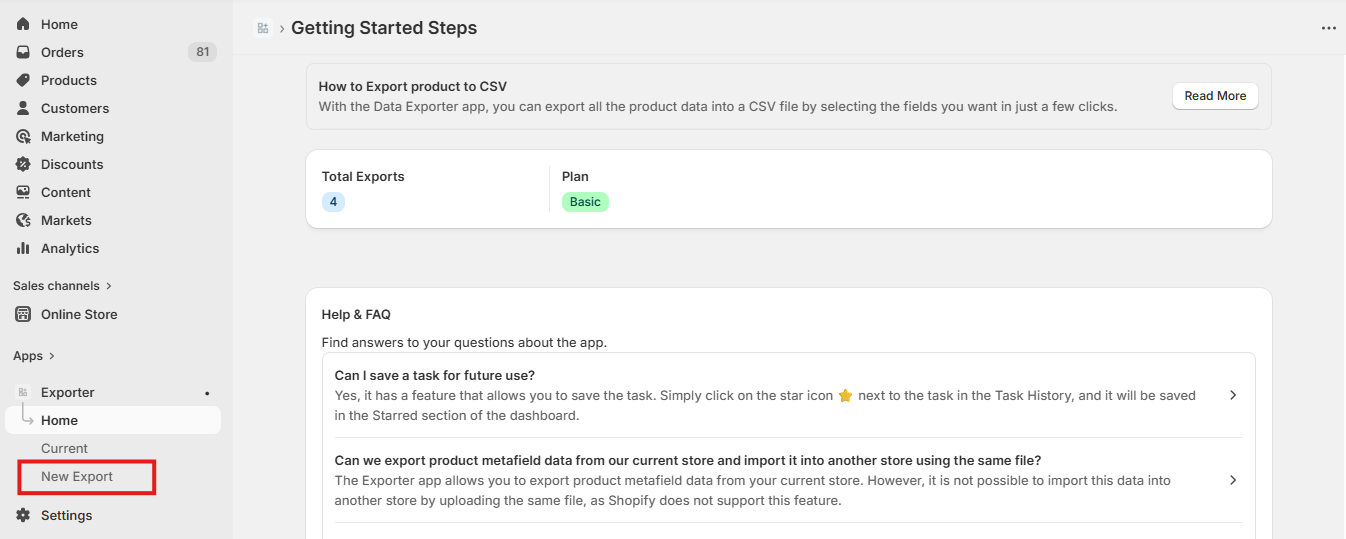
1. Go to the App dashboard > Click on the New Export.
2. On the 'Create Task' page, the first step is to select the fields that you want to export. You can select more than one field.

3. Next step is to select the products that you want to edit. You can select more than one condition. Click 'Next'.
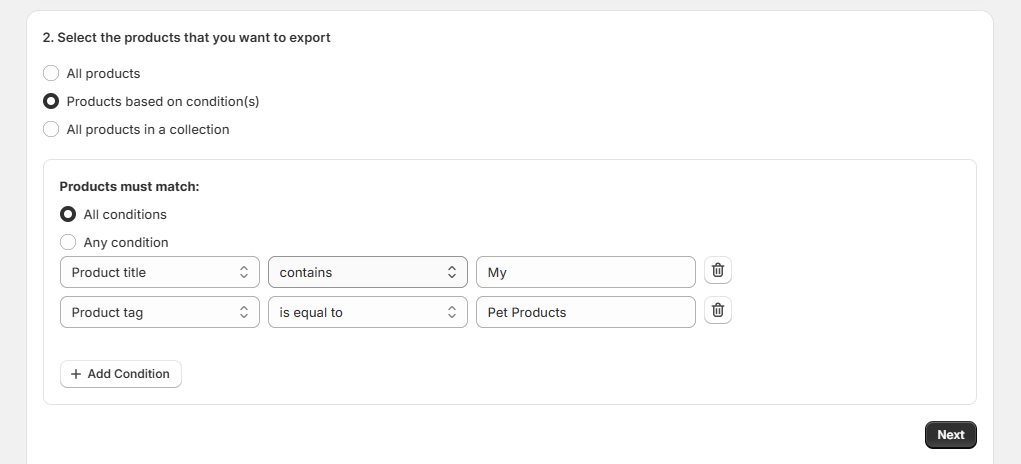
4. The app will search for the items that match the conditions and provide the count.

5. Finally, provide the export name and email IDs and click the Export Now button or schedule the export for later. The app will then send you the CSV file to the email address you provided, wherein you can then download the file.

Note:
- The exported CSV file link received via email or in the dashboard will expire in 24 hours.
- With the Exporter app, you will be able to export the product metafield data for the products in your current store, however, you will not be able to add them to the products while uploading the same file in your other store. Shopify does not allow or support the feature.
- Important Note: The app automatically deletes export product logs after 24 hours.